doc-convert-pro
DocConvert Pro — Clean Static Frontend
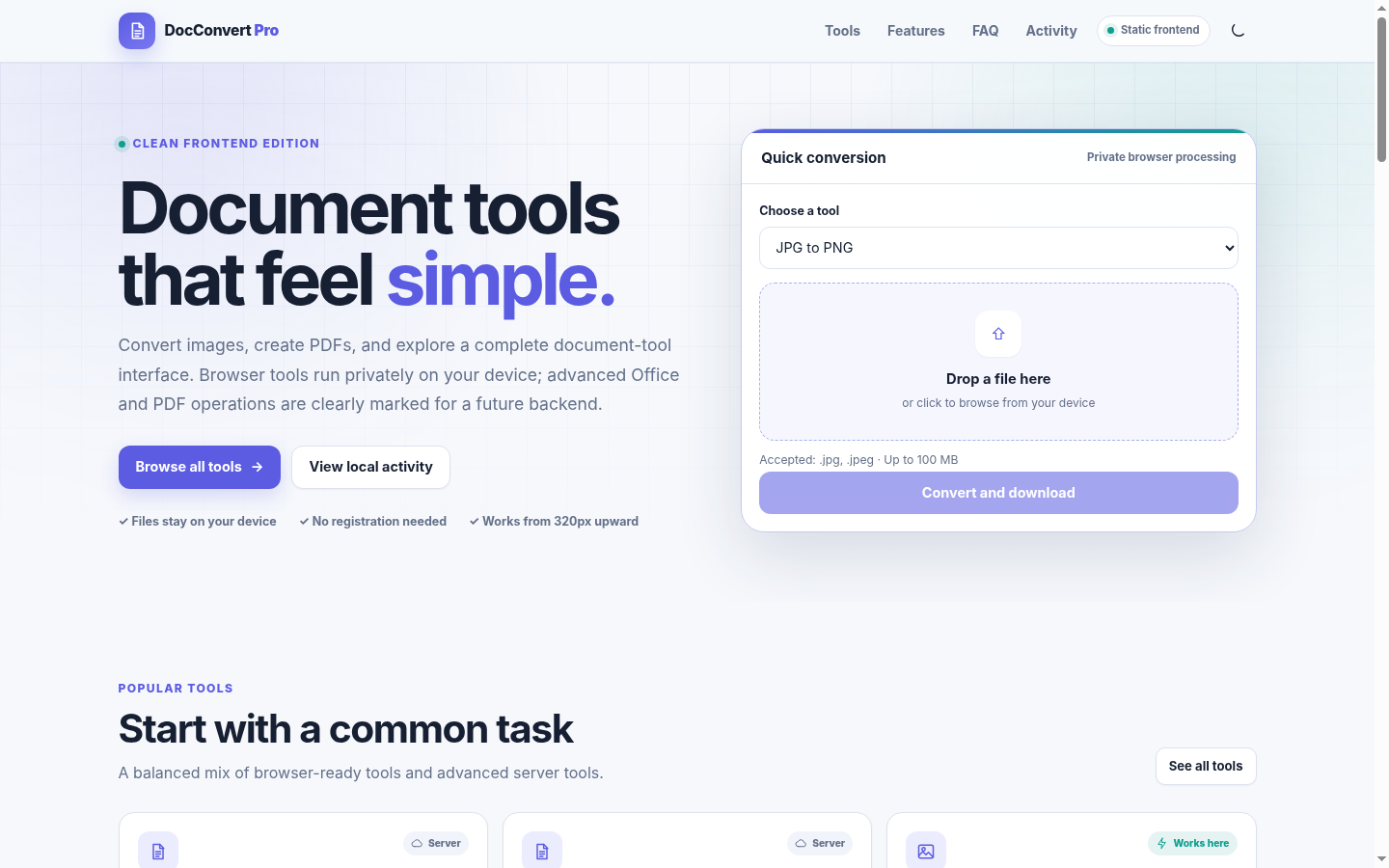
DocConvert Pro is a responsive document-tool website prepared specifically for free GitHub Pages hosting.
Author
- Name: shawn-cse
- Email: shawnazd@gmail.com
Screenshots
Homepage — Desktop
Tool catalogue
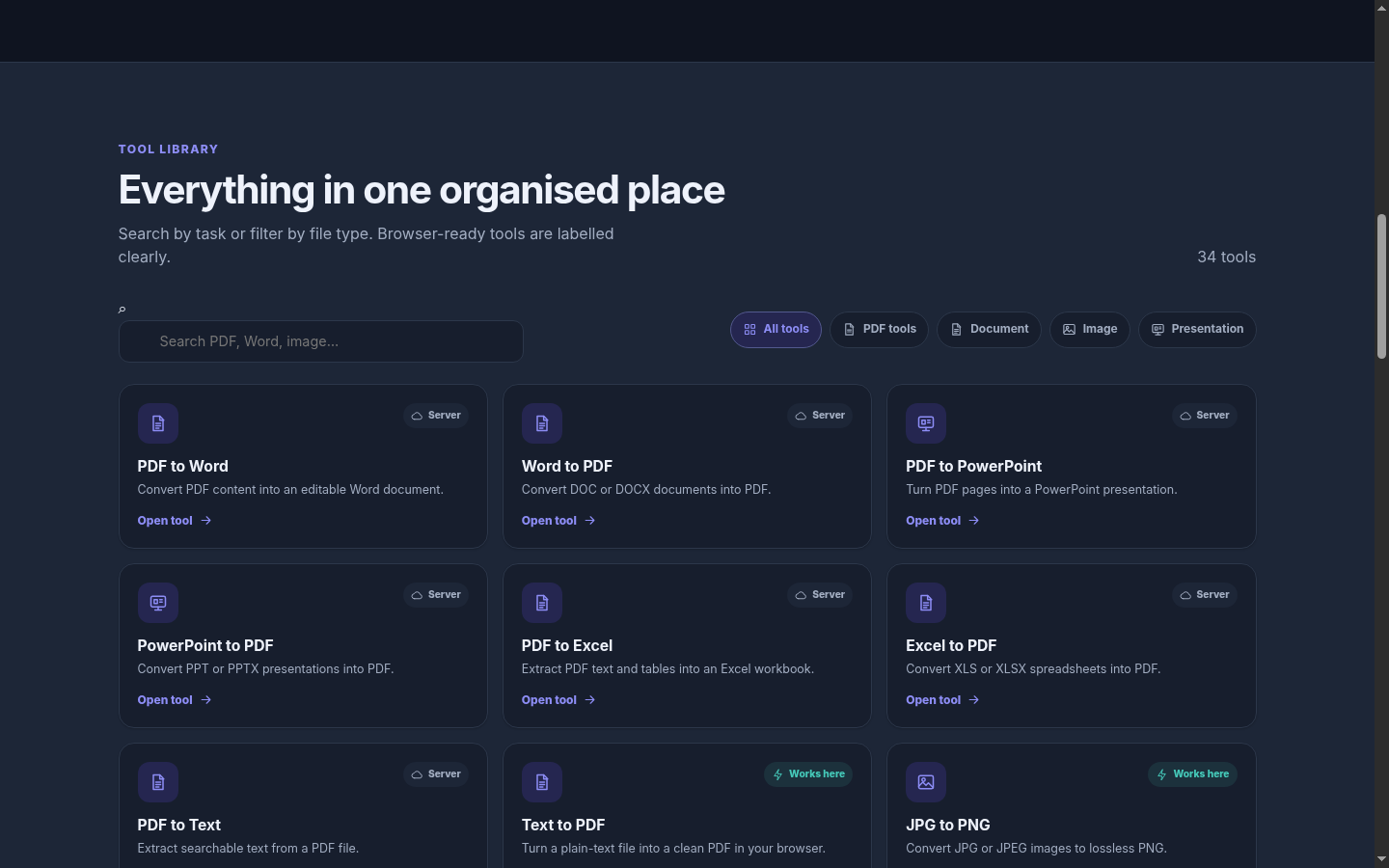
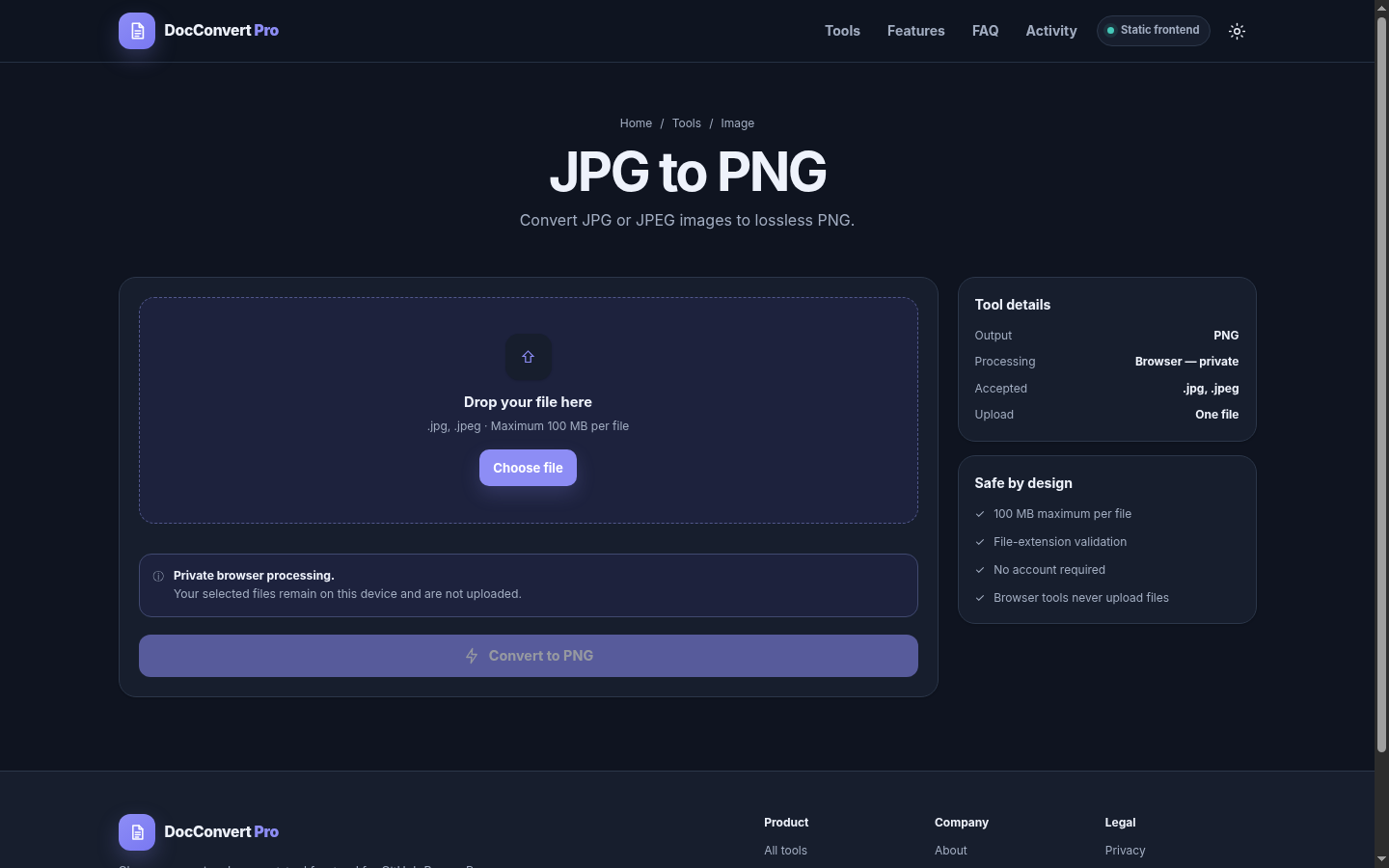
Image conversion tool — Dark mode
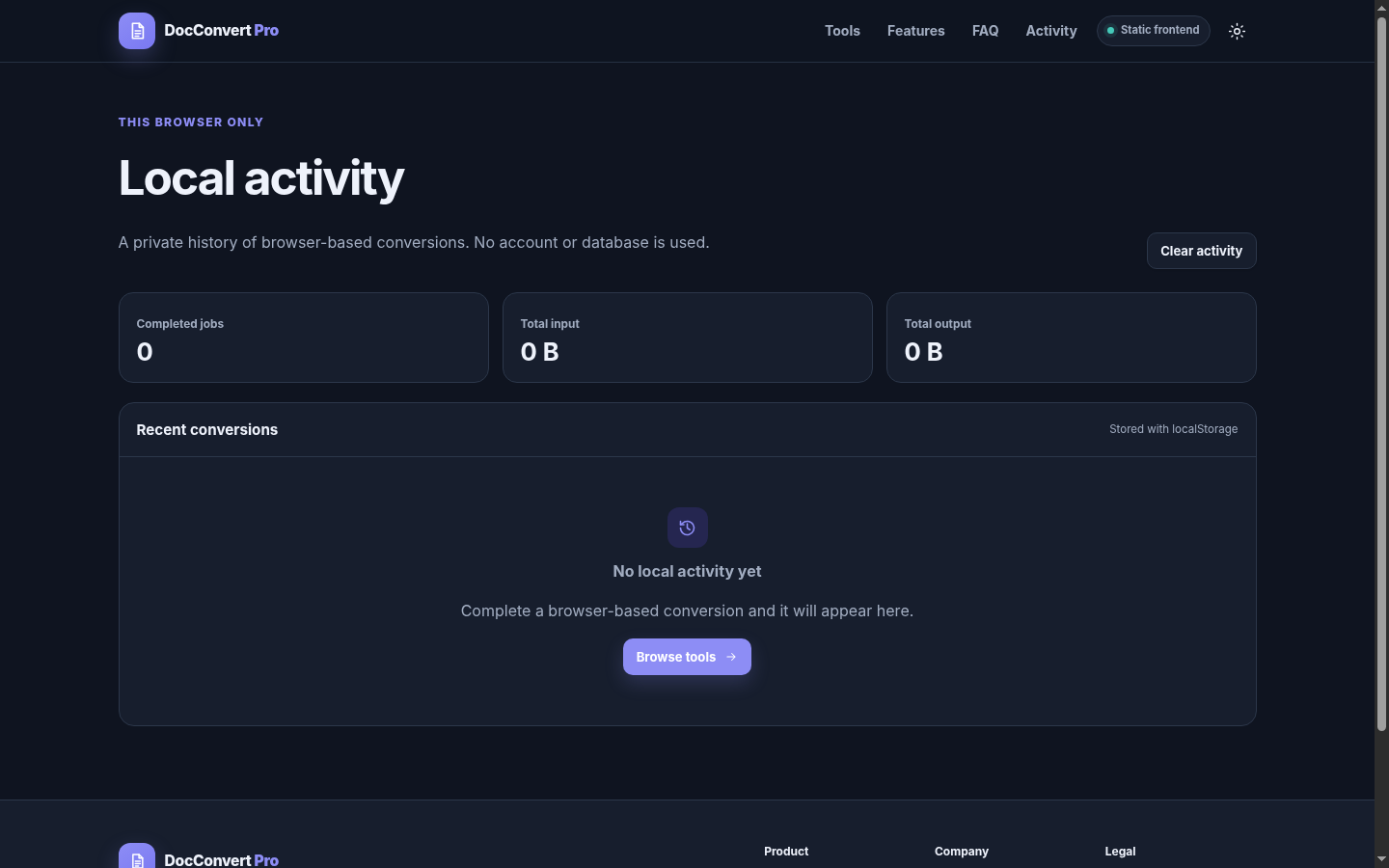
Local activity dashboard
Homepage — Mobile
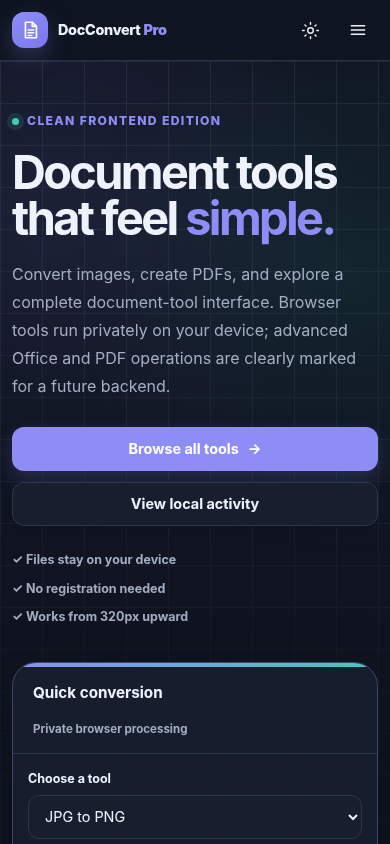
This edition is intentionally dependency-free:
- No
npm install - No Next.js build
- No PostgreSQL
- No Supabase
- No Express server
- No paid hosting requirement
The public website lives entirely inside the site/ folder.
What works without a backend
The following tools run directly in the browser and keep files on the user’s device:
- JPG to PNG
- PNG to JPG
- WEBP to JPG
- JPG to WEBP
- PNG to WEBP
- WEBP to PNG
- Image converter
- Image compression
- Image resize
- Image crop
- Image rotate
- Images to PDF
- Scan image to PDF
- TXT to PDF
The website also includes the full interface for Office and advanced PDF tools. These are clearly marked Server because GitHub Pages cannot run LibreOffice, Ghostscript, OCR, queues, databases, or secure server-side file processing.
Run on Windows — easiest method
- Extract the ZIP file.
- Open the extracted
docconvert-pro-cleanfolder. - Open the
scriptsfolder. - Double-click
start-windows.bat. - Your browser opens at:
http://localhost:3000
The script first tries Node.js, then Python.
Run with VS Code and Node.js
Requirements: Node.js 20 or newer.
Open the project folder in VS Code, open Terminal → New Terminal, and run:
npm start
Then open:
http://localhost:3000
There is no installation command because this project has no npm dependencies.
Run with Python
From the project root:
python -m http.server 3000 --directory site
On some Windows systems use:
py -m http.server 3000 --directory site
Then open http://localhost:3000.
Stop the local website
Return to the terminal and press:
Ctrl + C
Deploy free with GitHub Pages
- Create a new GitHub repository.
- Upload all files and folders inside this project to the repository root.
- Open the repository on GitHub.
- Go to Settings → Pages.
- Under Build and deployment, choose GitHub Actions.
- Open the Actions tab.
- Run Deploy DocConvert Pro to GitHub Pages if it did not start automatically.
The included workflow publishes only:
site/
No build command is used.
Important customisation
Before publishing publicly:
- Replace
support@yourdomain.cominsidesite/assets/js/contact.js. - Update privacy and terms text for your business.
- Add your real domain or GitHub repository details where needed.
- Connect a separate backend only when you need DOCX, PPTX, XLSX, OCR, or advanced PDF processing.
Project structure
docconvert-pro-clean/
├── site/                         # Complete public website
│   ├── index.html
│   ├── tool.html
│   ├── dashboard.html
│   ├── about.html
│   ├── privacy.html
│   ├── terms.html
│   ├── contact.html
│   ├── 404.html
│   ├── favicon.svg
│   └── assets/
│       ├── css/styles.css
│       └── js/
│           ├── tools.js
│           ├── common.js
│           ├── processors.js
│           ├── app.js
│           ├── tool-page.js
│           ├── dashboard.js
│           └── contact.js
├── screenshots/                    # Project screenshots used in README
│   ├── 01-homepage-desktop.png
│   ├── 02-tools-catalogue.png
│   ├── 03-image-converter-dark.png
│   ├── 04-activity-dashboard.png
│   └── 05-homepage-mobile.png
├── scripts/
│   ├── server.mjs
│   ├── start-windows.bat
│   └── start-linux-mac.sh
├── .github/workflows/deploy-pages.yml
├── docs/
├── package.json
└── README.md
Security behaviour
- Browser-ready tools do not upload files.
- Files are not stored in a database.
- Local activity stores only conversion metadata in browser
localStorage. - Users can clear local activity from the Activity page.
- File size is limited to 100 MB per file in the interface.
- Unsupported extensions are rejected before processing.
Browser support
Recommended:
- Chrome 110+
- Edge 110+
- Firefox 110+
- Safari 16+
Large images may use significant memory on low-power phones. The interface prevents extremely large resize dimensions, but users should still avoid processing confidential or irreplaceable originals without keeping backups.